
The 11 Best CRM software for small businesses in 2026 (free & paid)
I tested the top CRMs for features and ease of use. Here are the 11 best client relationship management software platforms for small businesses in 2026.


CRMs range from basic contact trackers to full client management platforms. After testing dozens, here are the 11 best client relationship management software options for small businesses in 2026.
11 Best client relationship management software for small businesses: At a glance
CRMs help small businesses organize contacts, track deals, and manage client communication in one place. Here’s how the top options compare at a glance:
| Tool | Best for | Starting price (billed annually) | Key strength |
|---|---|---|---|
| Assembly | Branded client portals with built-in CRM features | $39/month | Branded client portal with CRM, billing, contracts, and an AI assistant |
| HubSpot Smart CRM | Best for growing teams wanting a scalable CRM | Free, then $45/seat/month | Free tier with strong contact management and a wide integration library |
| Zoho CRM | Businesses needing deep customization and automation | Free, then $14/user/month | Highly configurable pipeline and automation rules across sales stages |
| Pipedrive | Sales-led teams tracking deals visually | $14/seat/month | Pipeline-first design with clear deal progression and activity reminders |
| Freshsales | Teams wanting built-in phone, email, and chat | Free, then $9/user/month | Native communication tools with AI-powered lead scoring on higher tiers |
| Less Annoying CRM | Solo operators and tiny teams new to CRM | $15/user/month, billed monthly | Flat-rate pricing with a straightforward contact and pipeline view |
| Monday CRM | Teams already using Monday for project work | $12/seat/month, minimum of 3 seats | Flexible board views that connect sales pipelines to project workflows |
| Apptivo | Small businesses needing CRM plus invoicing and projects | $15/user/month | Modular setup that lets you activate only the features you need |
| Salesmate | Small sales teams focused on outreach | $23/user/month | Built-in calling, texting, and email sequences from inside the CRM |
| OnePageCRM | Reps and consultants who need action-focused contact management | $19.95/user/month | Next-action sales method that keeps every contact tied to a clear follow-up |
| Bigin by Zoho CRM | Very small businesses moving off spreadsheets | $7/user/month | Minimal setup with pipeline views and basic contact management |
1. Assembly: Best branded client portals with built-in CRM features
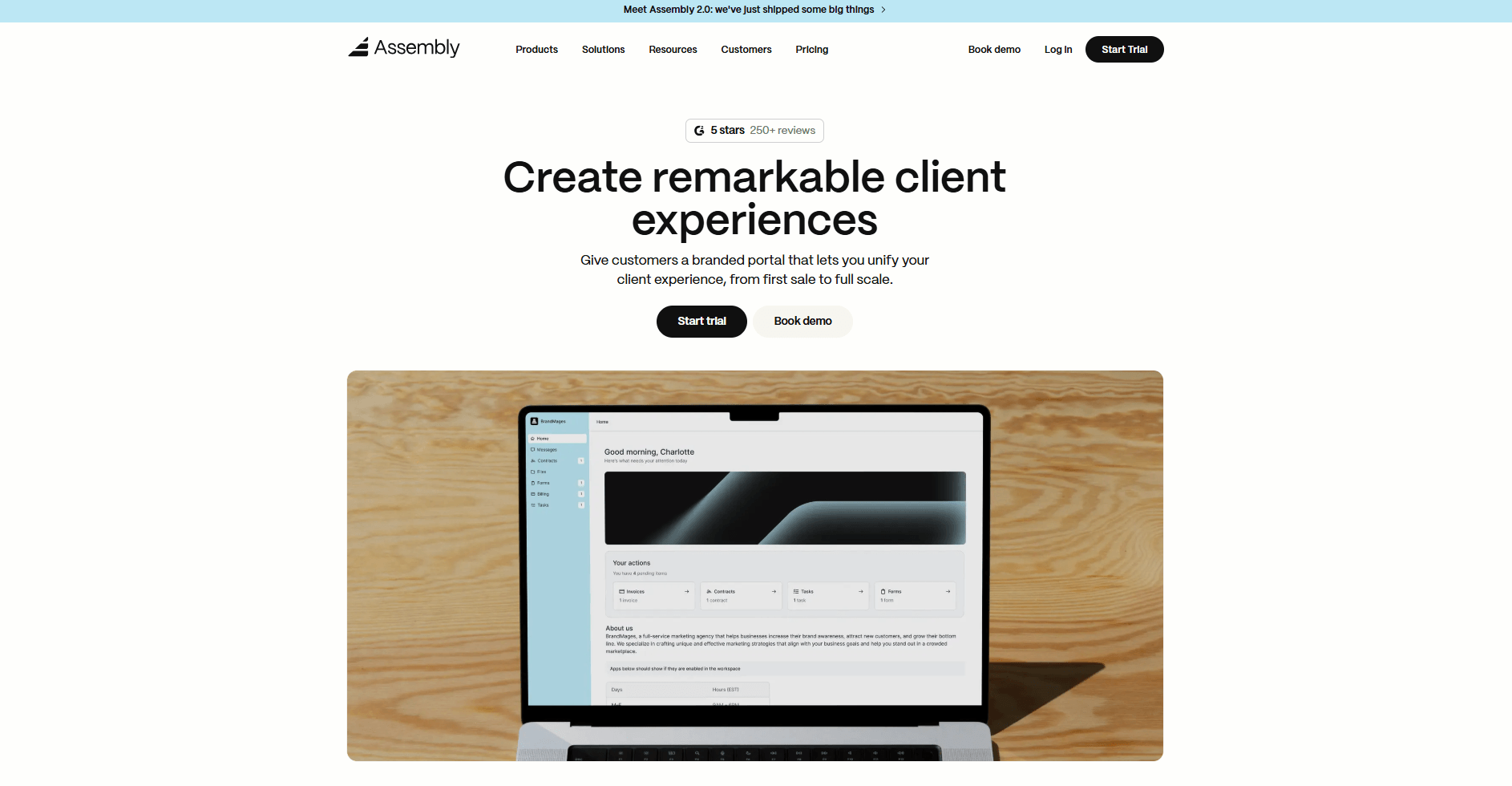
- What it does: Assembly is a client portal platform with CRM features. It brings client records, billing, contracts, and communication into one workspace so clients don’t bounce between email threads and payment links.
- Who it's for: Agencies, consultants, and professional service firms running recurring or long-term client engagements.
We built Assembly for service businesses that need a professional, structured way to manage client relationships without juggling multiple tools. You can build out client records with notes and custom properties before a client ever logs in, so your team already has context when the relationship starts.
Once you invite a client, they get their own branded portal to review task updates, sign contracts, pay invoices, and send messages. Clients can also manage their own account details and notification preferences directly from the portal, cutting down on routine back-and-forth with your team.
You can also ask the AI Assembly Assistant to pull together recent activity, notes, and files tied to each client record. This gives your team a quick read on where things stand before a call or meeting.
If you want to expand your workflow, you can also use the Assembly App Store to connect tools like Airtable, Calendly, ClickUp, Zapier, and Make directly into the client portal.
Key features
- Branded client portal: Clients log into a portal under your domain to access invoices, files, contracts, and project updates without switching tools.
- Billing and contracts: Built-in invoicing, e-signatures, subscriptions, and payment processing keep financial activity connected to each client record.
- Task management: Assign tasks, set deadlines, and track deliverables alongside client records and communication.
- AI Assistant: Surfaces client history, recent activity, and key details so your team walks into meetings prepared.
- App Store: Purpose-built apps for messaging, files, forms, and contracts extend your setup without splitting client data across systems.
Pros
- Client communication, billing, and project work stay tied to one record
- The branded portal gives clients a professional experience under your own domain
- Integrates with Airtable, ClickUp, Calendly, Zapier, and Make
Cons
- Built for ongoing client management, so it's less suited for one-time or transactional work
- The depth of features can take time to set up if you're coming from a simpler tool
Pricing
Assembly starts at $39 per month.
Bottom line
Assembly keeps the client-facing portal and your internal records in the same system rather than treating them as separate tools. If your priority is outbound sales and pipeline management, HubSpot Smart CRM might be a better fit.
2. HubSpot Smart CRM: Best for growing teams wanting a scalable CRM
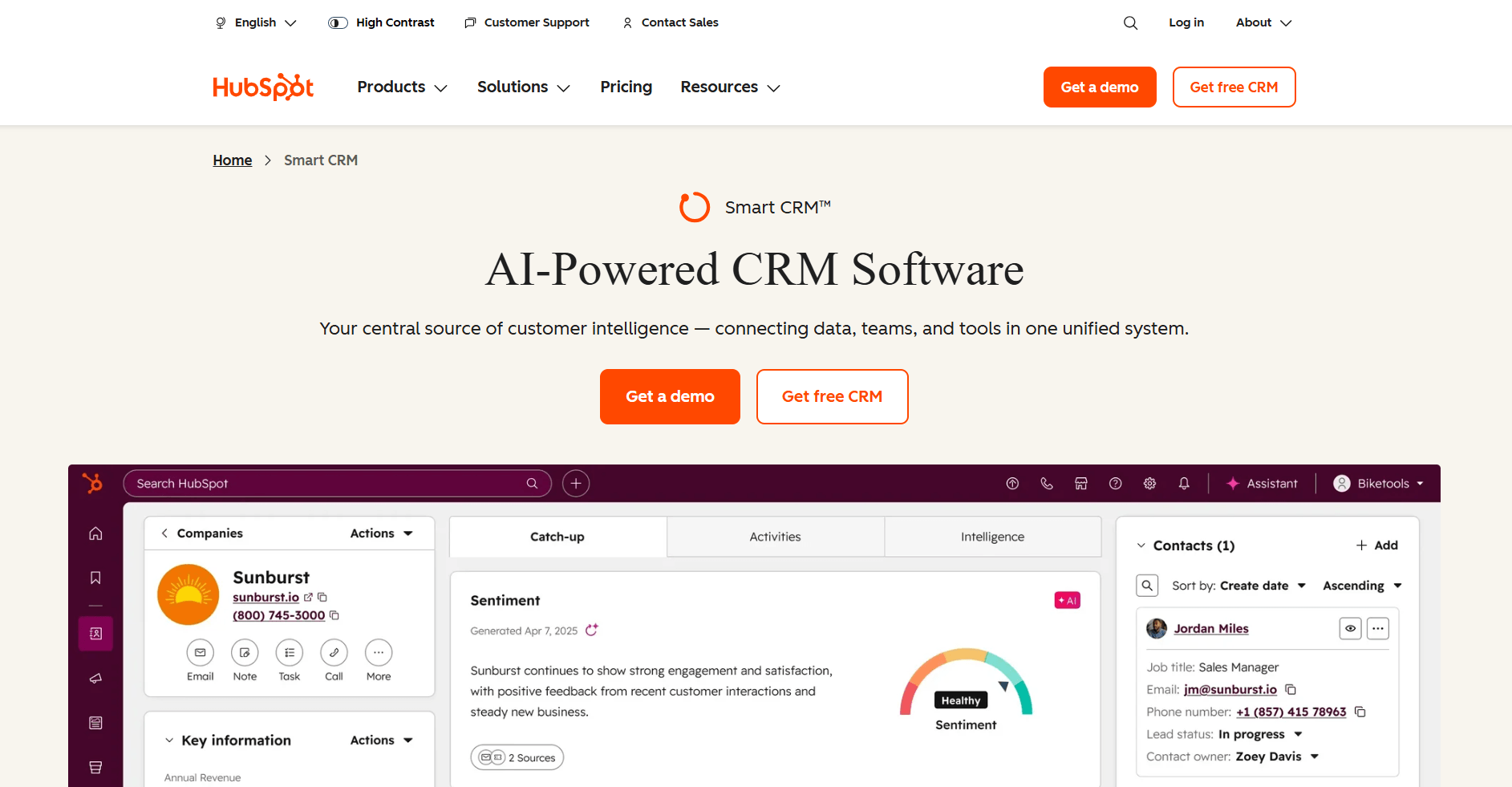
- What it does: HubSpot Smart CRM is an AI-powered customer system that brings together your customer data, teams, and tools for sales, marketing, service, and more. It’s the core layer that supports features like pipelines, dashboards, and integrations across all of HubSpot, instead of being limited to just those tools.
- Who it's for: Growing teams that want a CRM they can expand without switching systems.
I built a working pipeline and populated it with sample contacts to see how HubSpot organizes activity inside each record. Every interaction sits inside a single timeline, so you can track emails, notes, and deal movement without jumping between records. The contact record clearly anchors the workflow.
You can customize stages and properties easily in HubSpot Smart CRM, but deeper workflows sit behind paid upgrades. The tiered upgrade model supports long-term growth, but activating additional hubs increases the number of settings and workflows you need to manage.
Key features
- Contact timeline: Centralized record of emails, notes, calls, and deal activity.
- Pipeline management: Customizable deal stages with task tracking.
- Integration library: Native and third-party integrations across sales and marketing tools.
Pros
- Free tools support structured contact and deal tracking within HubSpot’s CRM
- Reporting dashboards with customizable properties across HubSpot’s CRM tools
- Large ecosystem of integrations
Cons
- Advanced automation requires higher tiers
- Adding more hubs increases menus and settings, which can slow down day-to-day adjustments
Pricing
HubSpot CRM offers a free tier with limited features.HubSpot Smart CRM starts at $45 per seat per month.
Bottom line
HubSpot Smart CRM is structured to support sales, marketing, and service in one system as your team expands. If you want a leaner, pipeline-focused setup, Pipedrive might be a better fit.
3. Zoho CRM: Best for businesses needing deep customization and automation
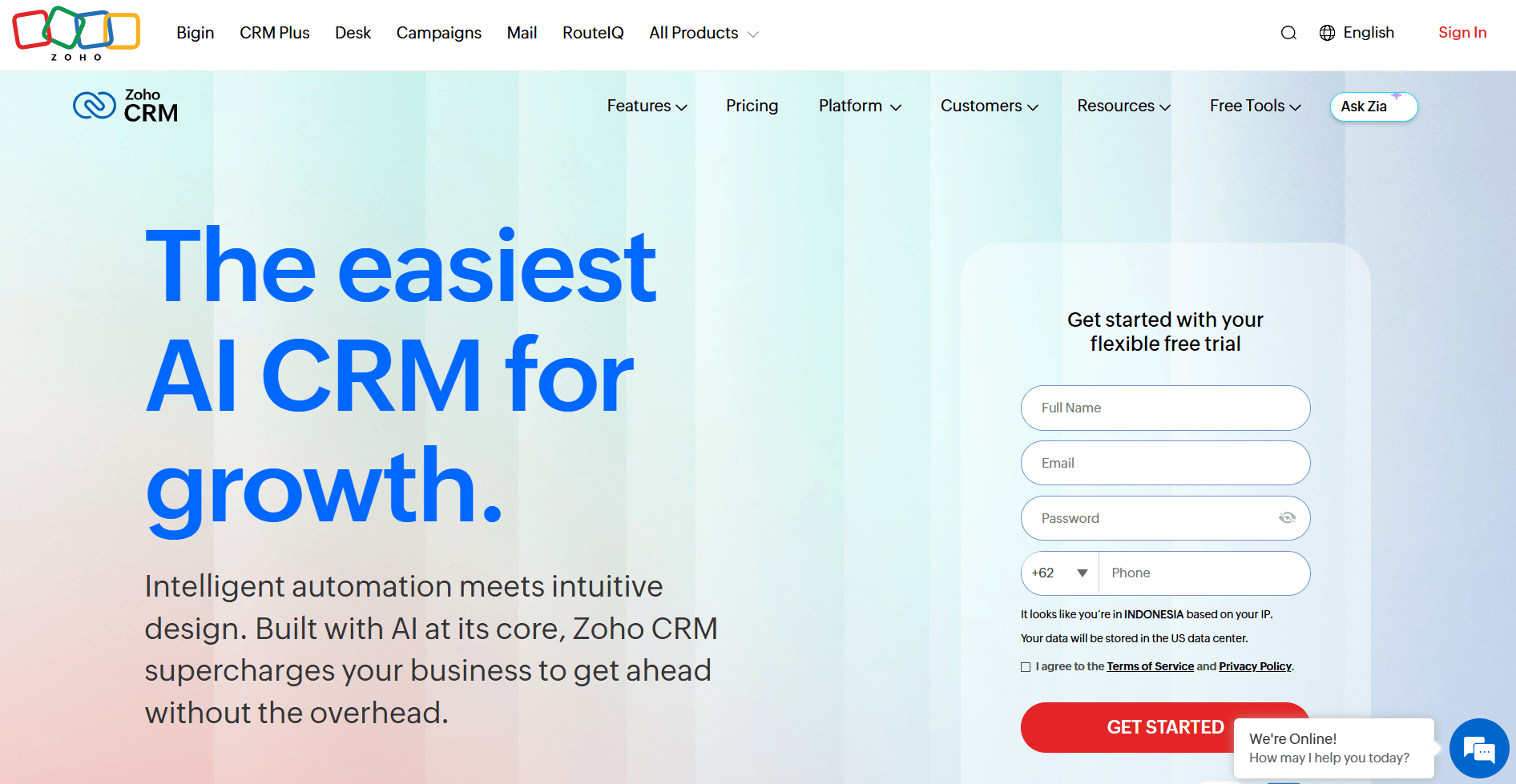
- What it does: Zoho CRM is a customer relationship management platform focused on customizable pipelines and workflow automation. It provides custom modules, automation rules, scoring models, and reporting dashboards. You can tailor fields, layouts, and processes to match your sales structure.
- Who it's for: Businesses that need detailed control over pipeline stages and automated sales processes.
I tested Zoho CRM by setting up a detailed pipeline with custom fields and automation rules to see how far I could tailor the workflow. You can adjust layouts, create scoring rules, and trigger actions based on stage changes without touching code. Overall, the level of configuration goes deeper than many small business CRMs.
As I added automation and custom modules, the system required more upfront setup to stay organized. You have to define properties carefully and map workflows step by step, or you end up managing too many fields, rules, and menus at once. That depth is powerful for teams that want flexibility, but it demands more planning at the start.
Key features
- Custom modules: Create tailored data structures beyond standard contacts and deals.
- Workflow automation: Trigger tasks, emails, and field updates based on stage or activity changes.
- Scoring rules: Assign lead or deal scores based on predefined criteria.
Pros
- Extensive customization across fields, layouts, and stages
- Automation builder supports complex rule logic
- Broad integration options within the Zoho ecosystem
Cons
- Setup requires careful planning to avoid cluttered workflows
- Interface can feel dense with multiple custom modules active
Pricing
Zoho CRM offers a free plan, then starts at $14 per user per month.
Bottom line
Zoho CRM gives you detailed control over how your pipeline and automation rules are set up. If you want a simpler system with less setup work, Pipedrive might be a better fit.
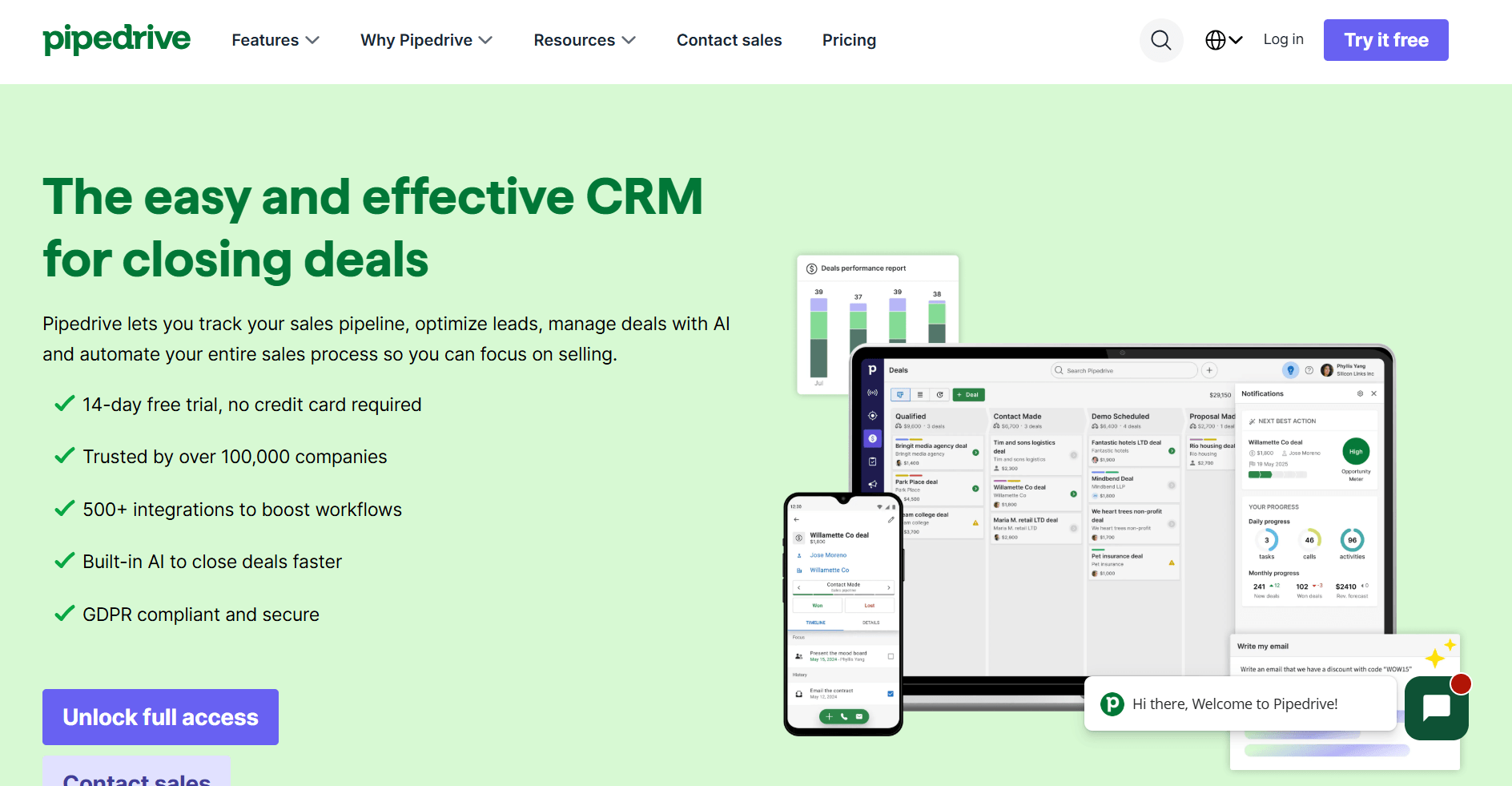
4. Pipedrive: Best for sales-led teams tracking deals visually
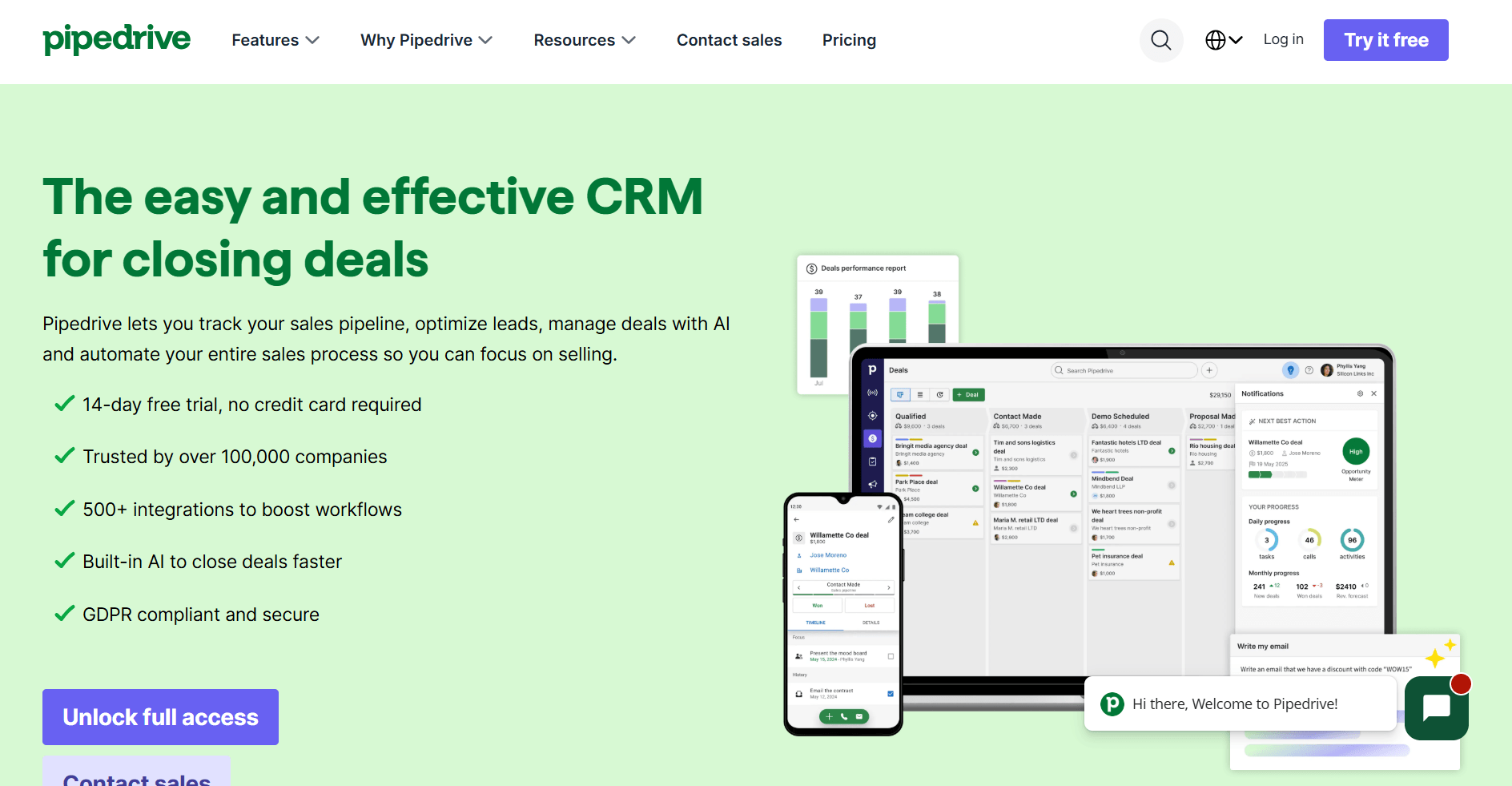
- What it does: Pipedrive is a sales-focused CRM built around visual deal pipelines. It provides customizable stages, activity tracking, sales reporting, and automation for follow-ups. You can manage deals by moving them across a board-style pipeline.
- Who it's for: Sales-led teams that want clear visibility into deal progress and rep activity.
I put Pipedrive’s deal board to work by running sample opportunities through each stage. You can move deals across the pipeline with a simple drag, and every opportunity stays visible in one view. Activity reminders sit alongside each deal, so you’re prompted to log calls and schedule follow-ups without switching screens.
When I reviewed automation and reporting, the focus stayed tightly on sales execution. You can automate tasks and adjust probabilities, but anything beyond deal tracking requires additional tools. Teams that need client portals or project workflows would have to manage those elsewhere.
Key features
- Visual pipeline board: Drag-and-drop deal stages with customizable columns.
- Activity reminders: Task scheduling tied directly to deals and contacts.
- Sales reporting: Revenue forecasts and performance dashboards.
Pros
- Clear pipeline layout that highlights deal progress
- Strong activity tracking for calls and follow-ups
- Easy to adjust stages and probability settings
Cons
- Limited client-facing features
- Project management requires external tools
Pricing
Pipedrive starts at $14 per seat per month.
Bottom line
Pipedrive keeps sales activity front and center with a board built around deal movement. If you want deeper workflow automation and customization, Zoho CRM might be a better fit.
5. Freshsales: Best for teams wanting built-in phone, email, and chat
- What it does: Freshsales is a CRM that combines contact management with built-in phone, email, and chat tools. It provides pipeline tracking, lead scoring, workflow automation, and communication history inside each contact record.
- Who it's for: Teams that want communication tools built directly into their CRM instead of connecting separate apps.
Freshsales puts communication at the center of the workflow, so I focused on testing its built-in phone, email, and chat features alongside deal tracking. I created contacts, sent test emails, logged calls, and moved deals through stages to see how tightly those actions connect. Every message and call attaches directly to the contact timeline.
Lead scoring and automation live inside the same workspace where you track deals and outreach. You can trigger follow-ups based on activity and assign scores to prioritize leads, but the more advanced AI scoring sits on higher tiers. Teams that only need basic deal tracking may find the added communication layer more than they need.
Key features
- Built-in calling and email: Place calls and send emails from within the CRM.
- Lead scoring: Assign scores to contacts based on predefined rules.
- Workflow automation: Trigger tasks and updates based on activity or stage changes.
Pros
- Communication history ties directly to contact records
- No need for separate calling or email tools
- Automation builder is accessible for small teams
Cons
- Advanced AI scoring requires higher plans
- Interface can feel busy with multiple communication channels active
Pricing
Freshsales offers a free plan, then starts at $9 per user per month.
Bottom line
Freshsales centers the CRM around built-in communication rather than just pipeline tracking. If you want a branded client portal that combines CRM with billing, contracts, and more, Assembly might be a better fit.
6. Less Annoying CRM: Best for solo operators and tiny teams new to CRM
- What it does: Less Annoying CRM is a simple CRM for managing contacts, pipelines, and task reminders. It provides contact records, deal tracking, calendar sync, and basic reporting. You can organize relationships without layered automation or complex configuration.
- Who it's for: Solo operators and very small teams that want straightforward contact and pipeline management.
Less Annoying CRM keeps its feature set intentionally limited, so I focused my testing on how quickly I could start managing contacts. I added sample leads, created a basic pipeline, and scheduled follow-ups to see how the workflow holds up. The interface keeps everything in plain view, with contacts, tasks, and deals accessible from a single navigation bar.
Beyond the basics, I found that the platform offers only light customization. You can add custom fields and manage pipelines, but there’s no advanced workflow builder or layered scoring system. Teams that need complex automation or detailed forecasting will likely outgrow it.
Key features
- Contact management: Centralized contact records with notes and task history.
- Pipeline tracking: Customizable deal stages with simple progression.
- Task reminders: Calendar-based follow-ups tied to contacts and deals.
Pros
- Quick setup with minimal configuration
- Flat pricing without feature tiers
- Clean interface with low learning curve
Cons
- No advanced workflow automation
- Reporting is limited compared to larger CRMs
Pricing
Less Annoying CRM starts at $15 per user per month.
Bottom line
Less Annoying CRM keeps contact and pipeline management intentionally simple. If you want built-in calling, email, and automation tools inside your CRM, Freshsales might be a better fit.
7. Monday CRM: Best for teams already using Monday for project work
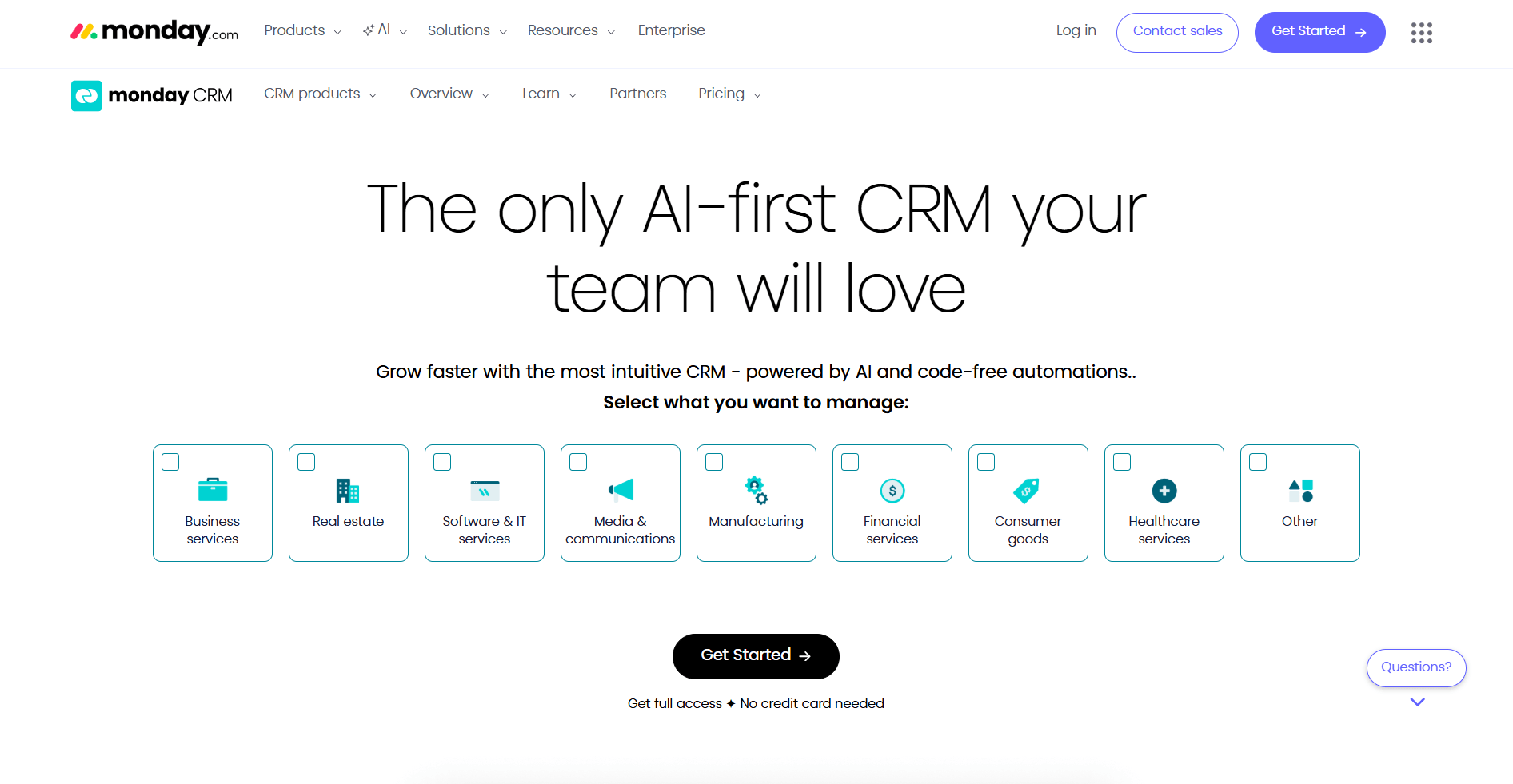
- What it does: Monday CRM is a CRM built on Monday’s board-based workspace. It provides customizable sales pipelines, contact tracking, workflow automation, and reporting dashboards.
- Who it's for: Teams already using Monday for project work who want their sales pipeline inside the same platform.
Monday CRM uses the same board layout as the main Monday platform, so I tested how naturally a sales pipeline fits into that environment. I built a deal board, added contacts as items, and created automations to move deals across stages. The flexibility lets you shape the pipeline around your process rather than forcing a preset sales flow.
One of the downsides is that the flexibility also means you’re building more from scratch. You’ll need to configure columns, automations, and views manually, and sales-specific features like forecasting or scoring aren’t as purpose-built as traditional CRMs. Teams that want a sales-first system may find it requires more setup to feel focused.
Key features
- Custom board pipelines: Build deal stages using Monday’s board structure.
- Workflow automation: Trigger status changes, notifications, and task creation.
- Multiple views: Switch between board, table, calendar, and dashboard layouts.
Pros
- Fully customizable pipeline structure
- Shares workspace with project management boards
- Flexible automation builder
Cons
- Requires manual setup to create a structured sales flow
- Lacks some built-in sales-specific tools found in dedicated CRMs
Pricing
Monday CRM starts at $12 per seat per month (minimum of 3 seats).
Bottom line
Monday CRM works best when sales needs to live alongside delivery, not in a separate system. If you want a more purpose-built sales pipeline, Pipedrive might be a better fit.
Special mentions
I didn’t have room to write full reviews for all the platforms, but I found that the tools below still offer strengths that are worth exploring.
Here are 4 more of the best CRM software tools for small businesses:
- Apptivo is a modular business platform that includes CRM, invoicing, and project management tools. I set up a pipeline and enabled additional apps to see how the workspace expands. Each feature lives inside its own app, so you activate tools as separate modules. Turning on several apps means jumping between sections to complete related tasks.
- Salesmate is a CRM built around outreach with calling, texting, and email sequences inside the same system. I tested its outreach tools by creating sequences and logging calls, and the communication history stays tightly connected to each deal. Teams focused more on operations than outbound sales may find the interface weighted heavily toward prospecting features.
- OnePageCRM is an action-focused CRM that centers every contact around a next step. I created contacts and assigned follow-up actions to see how it guides daily work, and the next-action model keeps momentum visible without complex automation. It offers less reporting depth than broader sales platforms.
- Bigin by Zoho CRM is a lightweight CRM designed for small teams moving beyond spreadsheets. I set up a basic pipeline and imported contacts to test how quickly it organizes deals, and the layout keeps contact and pipeline tracking straightforward. It works well for simple deal tracking, but teams that need advanced automation or forecasting may outgrow it.
What to look for in a CRM for small businesses
Good CRM software for small businesses should fit how you already work, support your client experience, and grow with your team. Here's what to look for when comparing your options:
A centralized client database
A CRM's core job is to keep all your client information in one place. Contact details, communication history, and project updates should all live together so your team isn't hunting through inboxes or shared drives to find what they need.
Client portal features
Some CRMs go beyond internal record-keeping and give your clients their own login to access files, check project status, and send messages. If your business depends on repeat clients, I'd recommend prioritizing this feature. A branded portal can change how professional your business looks to the people paying you.
Task and project management
Client work and internal tasks are often closely connected when you're running a service business. A CRM with built-in task tracking lets you manage deliverables and deadlines without switching between tools.
Sales pipeline tracking
Retaining existing clients matters, but so does bringing in new ones. A pipeline view helps you see where each prospect stands and which deals need attention before they go cold.
White-label customization
If your clients interact with your CRM directly, they shouldn't see someone else's branding. White-label options let you apply your own logo, colors, and domain so your clients interact with your brand rather than the CRM vendor's. I find this feature is quite impactful for client retention because it reinforces your brand at every touchpoint.
Third-party integrations
A CRM rarely works alone. Look for one that connects to the tools you already use, whether that's your invoicing software, project management app, or communication tools. That way, you're not duplicating work across platforms.
Automated client notifications
Proactive communication keeps clients confident in your work. A CRM that sends automatic updates for invoices, task completions, or project milestones saves you time while keeping clients in the loop.
Here's the section, adapted for our tool list and written from scratch:
How I tested these CRM tools
I tested each tool by signing up, setting up a simple client workflow, and walking through the tasks a small service business handles every day. That meant adding contacts, tracking a deal, sending a message, and checking what the client-facing side looks like.
Here's what I focused on:
- Ease of setup: A CRM that takes weeks to configure can slow a small team down. I paid attention to how quickly each tool could go from signup to managing clients.
- Client-facing experience: For service businesses, the client experience is just as important as the internal one. I looked at whether each tool offered any kind of client-facing layer, such as a portal, shared workspace, or communication hub. I also considered how polished that experience was.
- Contact and pipeline management: I looked at how each tool handles logging contacts, tracking deal stages, and surfacing follow-up tasks. If a tool made these basics feel overcomplicated, I noted it in the rating.
- Depth of features vs. complexity: More features aren't always better. I looked at whether the additional capabilities each tool offered were genuinely useful or just added noise.
- Pricing relative to what you get: Small businesses are cost-conscious. I considered whether each tool's entry-level plan was actually usable or whether the meaningful features were locked behind expensive tiers.
Which CRM for small businesses should you choose?
The right CRM depends on how you run your business, how many clients you manage, and how much of your work you want inside one platform.
Choose:
- Assembly if you run a service business and want a branded client portal that combines CRM, billing, contracts, and messaging in one place.
- HubSpot Smart CRM if you want to start for free and scale into more advanced sales and marketing tools as your team grows.
- Zoho CRM if you need deep workflow automation and pipeline customization at a lower per-user cost.
- Pipedrive if your team is sales-driven and you want a clean visual pipeline to track deals and activity.
- Freshsales if you want built-in calling, email, and lead scoring without adding separate communication tools.
- Less Annoying CRM if you're a solo operator or very small team and want something straightforward with flat-rate pricing.
- Monday CRM if you already use Monday.com and want your sales pipeline to live alongside your project boards.
- Apptivo if you want a modular platform that covers CRM, invoicing, and project management without paying for features you won't use.
- Salesmate if outreach is central to your sales process and you want calling, texting, and email sequences built in.
- OnePageCRM if you want a simple, action-focused system that keeps every contact tied to a clear next step.
- Bigin by Zoho CRM if you're moving off spreadsheets for the first time and want a lightweight pipeline tool with minimal setup.
My final verdict
Pipedrive and Salesmate are strong picks if moving deals through a pipeline is your main priority. Less Annoying CRM and Bigin work well for very small teams that need organized contacts without much overhead. From my testing, several tools on this list are built primarily around the sale itself, with client management after that point feeling secondary.
Assembly is built for what happens after the deal closes. You still need to onboard that client, communicate with them, collect payments, and deliver work. I've found that keeping all of that in one branded workspace reduces the back-and-forth that tends to slow service teams down as they scale.
Ready to manage client relationships in one place? Try Assembly
Many client relationship management software tools for small businesses focus on contact storage and deal tracking. They don't provide a complete workspace for managing ongoing client relationships.
Assembly is a client portal platform built on a core CRM with project management, messaging, and file sharing. Service businesses use it to create a client experience that's easy to navigate, helping to reduce tool fatigue and keeping clients engaged throughout the relationship.
Here’s what you can do with Assembly:
- Track client details and activity: Manage client records, communication history, and relationship data in a structured CRM that keeps everything organized in one place.
- Give clients a branded portal: Clients log into a space that reflects your brand to access contracts, invoices, files, and project updates without email back-and-forth.
- Keep tasks, messages, and files together: Client communication, shared files, and project tasks stay connected to each client record instead of being scattered across separate tools.
- Prep faster for meetings: The AI Assistant summarizes recent client activity and communication, helping you walk into calls with a clear picture of what’s been discussed and what’s outstanding.
- Protect client data: Assembly maintains SOC 2 compliance and supports HIPAA-compliant deployment, along with GDPR and CCPA requirements.
- Cut down on admin: Automate repetitive jobs like reminders, status updates, or follow-up drafts, so your team can focus on clients.
Ready to bring your client relationships and daily operations into one place? Start your free Assembly trial today.
Frequently asked questions
What is a small business CRM?
A small business CRM (customer relationship management) is software that helps service-based businesses track clients, manage communication, and organize their sales pipeline in one place. Marketing agencies, consulting firms, design studios, and accounting practices often rely on them, since client relationships are central to how those businesses operate.
What is the difference between a CRM and a client portal?
A CRM manages your internal sales and contact data, while a client portal gives your clients a secure place to view messages, files, invoices, and updates. A CRM is built for your team to track leads, deals, and follow-ups. A client portal is built for your clients to log in and interact with your business. Some platforms combine both.
Can a small business use a CRM without a dedicated sales team?
Yes, a small business can use a CRM without a dedicated sales team to track contacts, follow-ups, and client history. You can use it to manage inquiries, proposals, renewals, and ongoing relationships, even if you aren’t running a formal sales pipeline.
Do small businesses need a CRM if they already use a project management tool?
Yes, small businesses still need a CRM if they want to track leads, deals, and contact history before work begins. A project management tool helps you deliver work after a project starts, but it usually doesn’t track prospects or sales stages. A CRM keeps your pipeline organized from first inquiry to signed client. Using both gives you visibility across the full client lifecycle.