
TaxDome vs Karbon vs Assembly: Best for accounting in 2026?
Comparing TaxDome vs Karbon vs Assembly isn't straightforward because each prioritizes different things. Learn which one matches your firm's needs in 2026.


I compared TaxDome vs Karbon vs Assembly by testing all three thoroughly. Here's how they differ on client experience, automation, and workflows in 2026.
TaxDome vs Karbon vs Assembly: At a glance
- Choose TaxDome if: You want everything included with strong tax-specific features and a comprehensive client portal.
- Choose Karbon if: Your team prioritizes email integration, internal collaboration, and sophisticated workflow automation.
- Choose Assembly if: You want self-service stores, branded portals, and flexible CRM without annual commitments.
Meet the contenders
I've noticed that TaxDome and Karbon have become go-to options in the accounting and tax space. Assembly takes a different approach with its focus on branded client portals and self-service storefronts that let clients purchase services directly.
Let’s compare all three below:
TaxDome: Best for tax-focused firms
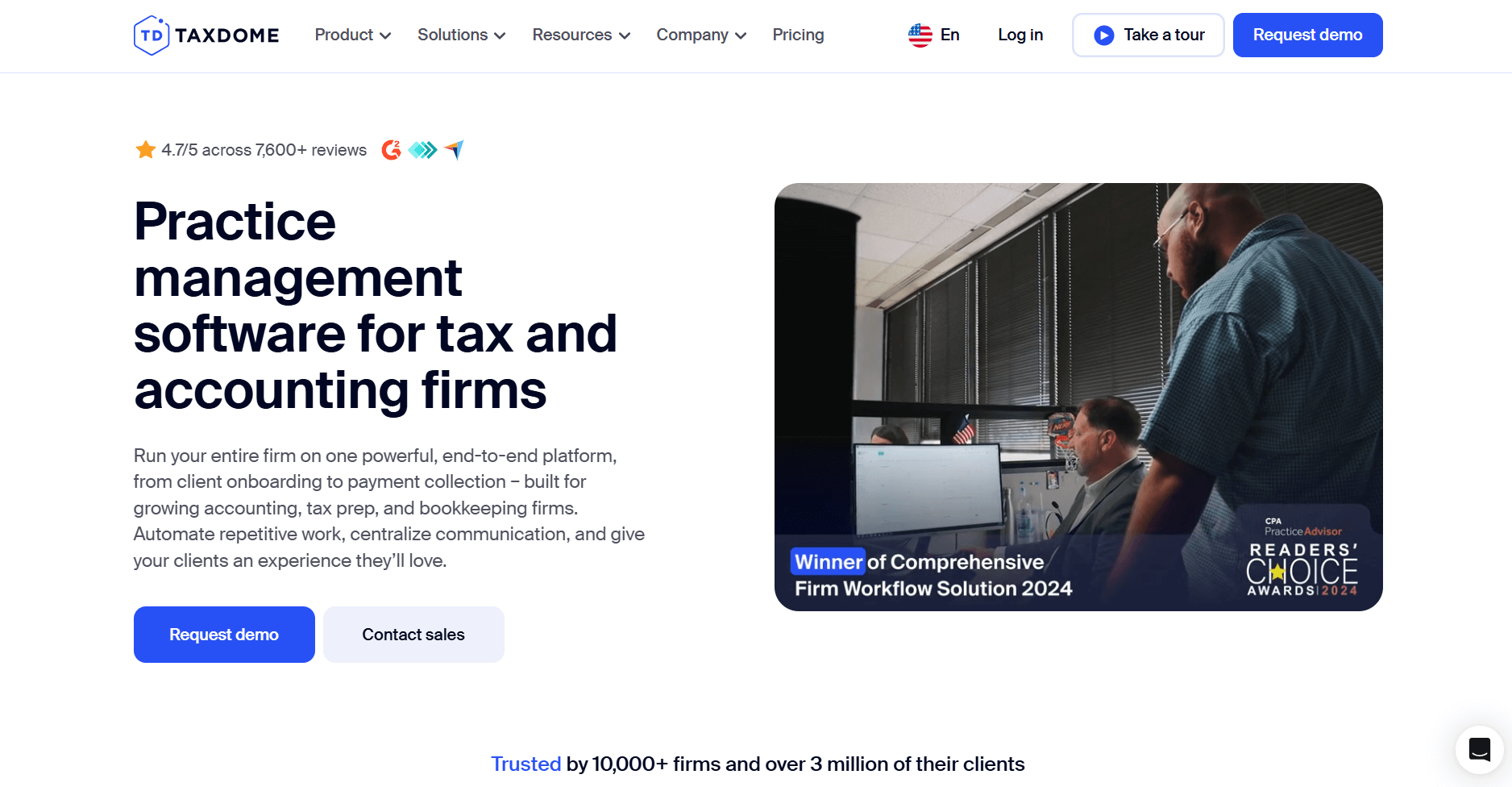
TaxDome is an all-in-one practice management platform. It gives tax and accounting firms one place for client portals, billing, documents, and tax workflows. Everything runs through the same system. This reduces the need to switch between tools during, which is helpful during the busy season.
TaxDome impressed me with how deeply it bakes IRS integration into workflows. It handles everything from e-filing to automated tax reminders. Tax firms handling dozens of returns each season tend to choose TaxDome for that reason.
TaxDome starts at $800 per seat per year with a 1-year commitment. You can learn more about its cost in our TaxDome pricing guide.
Karbon: Best for collaboration-focused firms
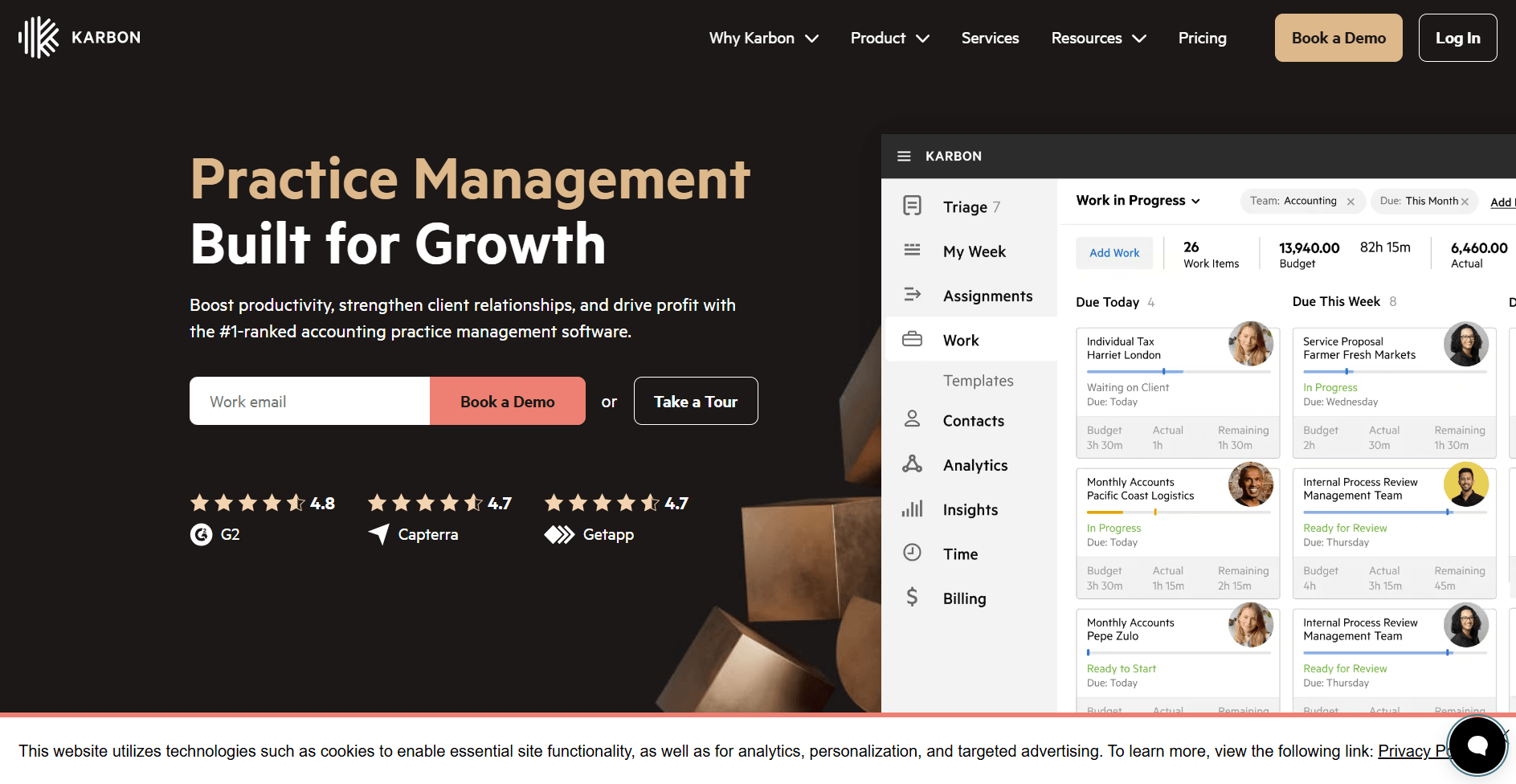
Karbon is a practice management platform for accounting firms. It’s built around email management and team collaboration. The Triage feature turns inbox chats into tasks. This helps teams stay organized while keeping the context of each conversation.
I tested Karbon's workflow builder and found it offers detailed workflow automation and dependencies. It takes time to learn but it gives you control over complex processes once you invest the effort. Karbon also includes a client portal where clients can view tasks, share documents, and communicate with your firm.
Karbon starts at $59 per user per month. We also have a Karbon pricing guide if you’d like to learn more.
Assembly: Best for firms wanting self-service storefronts
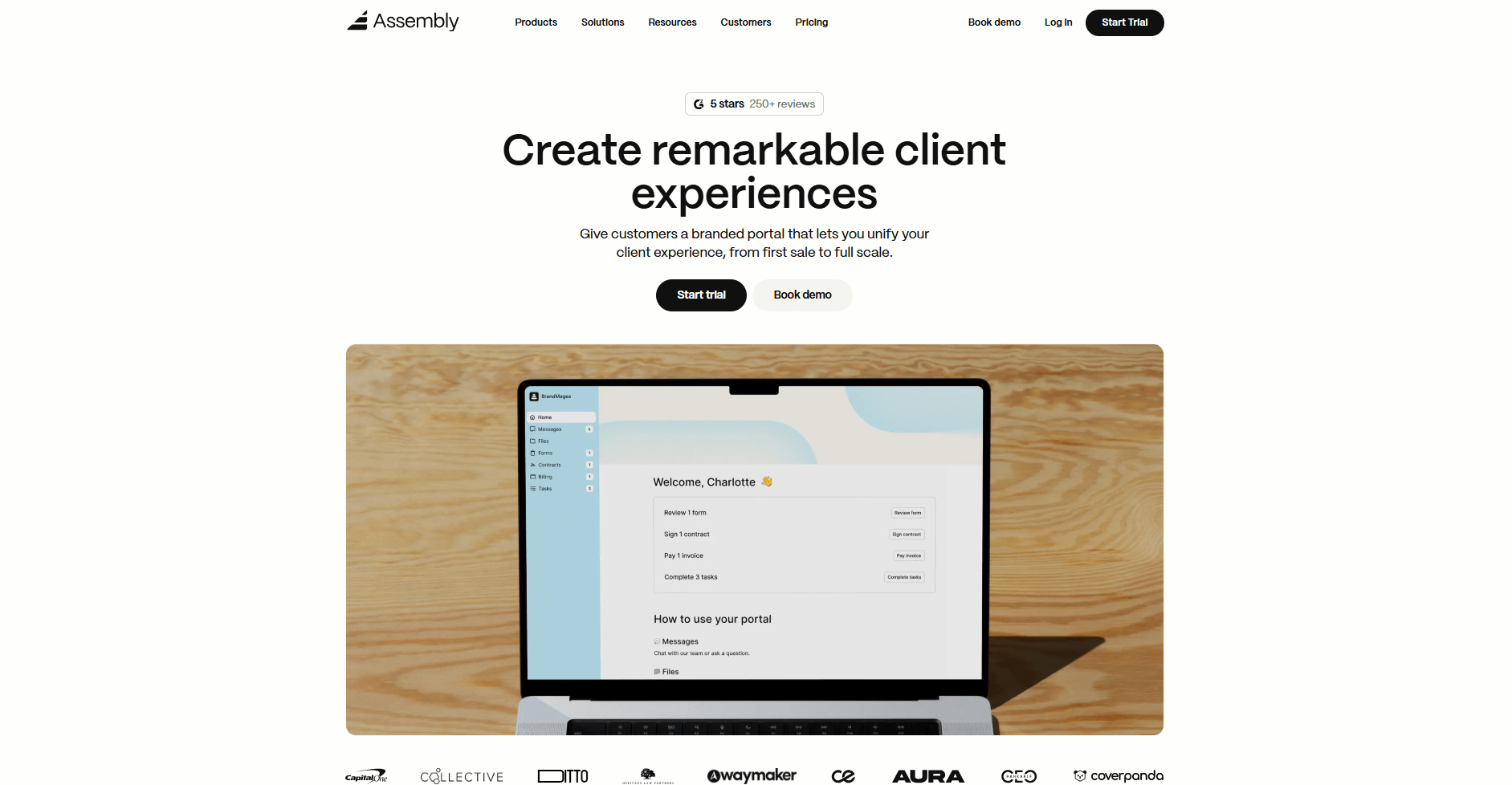
Assembly is a client portal and CRM platform designed for accounting firms and service-based practices. We built it so you can create branded portals with a self-service Storefront. Your clients can browse and purchase services directly. This reduces the back-and-forth emails for quotes and proposals.
After clients purchase from your Storefront, you manage everything through integrated tools. You get contracts with e-signatures, invoicing and payments, file sharing, and client messaging. The white-label capabilities let you customize from your domain to your design, keeping the entire client experience under your brand.
Assembly starts at $39 per month.
TaxDome vs Karbon vs Assembly: Feature breakdown
TaxDome, Karbon, and Assembly each focus on different parts of running a service business. When I put these three platforms through similar tasks, the differences showed up fast.
Let's break down how their features compare below:
Client portal and branding
TaxDome: TaxDome’s client portal includes white-label branding options. You can add your custom domain, logo, color scheme, and even custom CSS for advanced styling. Clients can view documents, sign forms, and make payments through the portal. The branding capabilities cover the essentials for presenting a professional client experience under your firm's identity.
However, the mobile app is TaxDome-branded.
Karbon: Karbon offers a client portal where clients can view tasks, share documents, and sign agreements. I found the portal handles the essentials for client collaboration, but the branding options are limited. Karbon's strength remains in internal team workflows rather than client-facing customization.
Assembly: Assembly gives you a fully white-labeled client portal. You can customize your domain, design, colors, and branding throughout the entire experience. Your clients interact with your brand, not a third-party platform.
Winner: Assembly. The white-label capabilities let you create a fully branded experience beyond what TaxDome and Karbon offer.
Self-service storefronts
TaxDome: TaxDome lets you create service packages and send proposals to clients. I tested the proposal system and found it works for presenting tiered options. Clients can review, select a package, and sign to move forward, but they can't browse your services on their own. You have to manually send each proposal.
Karbon: Karbon doesn't have a native self‑service storefront or tools for productized services. Many firms pair it with third‑party proposal and billing tools like Ignition or GoProposal to handle pricing and packages.
Assembly: Assembly includes a self-service Storefront where you list your services like products. Clients browse your offerings, select what they need, and complete the purchase without contacting you first. You can offer one-time services, recurring subscriptions, or packages. The Storefront connects directly to your CRM. That way, new purchases automatically create client records.
Winner: Assembly. TaxDome and Karbon don't provide a real self-service storefront. Clients can't browse and buy on their own.
Workflow automation
TaxDome: I tested TaxDome's workflow templates and found they work well for standard tax processes. You can set up automated document requests, reminders, and tax return workflows. The templates cover common tax scenarios like quarterly bookkeeping and annual filings. If you want to build workflows outside of those, you'll need more time to set them up.
Karbon: Karbon impressed me with its workflow builder. You can set up automation that triggers based on work status, deadlines, or client type. The system lets you create workflows that adapt to different scenarios. The learning curve is steep, but the depth is there once you learn the system.
Assembly: You can automate client onboarding, payment reminders, and follow-ups based on client actions like Storefront purchases. The AI Assistant summarizes recent client activity and communication, helping teams notice engagement patterns and changes over time. Automations in Assembly focus on client-facing processes rather than internal team workflows.
Winner: Karbon. The workflow builder offers strong automation with dependencies and detailed controls.
Document management
TaxDome: TaxDome's document management includes OCR for scanning tax documents. It also has automatic organization by client and year, plus bulk upload capabilities. The system is built for handling large volumes of tax documents with features like auto-naming and folder templates.
Karbon: I found Karbon's document management more basic. You get folder structures and the ability to attach files to clients or tasks. It works for standard document storage, but it lacks the advanced features that TaxDome offers. The focus is on access and organization rather than processing.
Assembly: Assembly gives you secure file sharing with customizable permissions. You control what clients can view, download, or upload. Assembly lets you organize files by client. You can also create folder structures that match your workflow. Clients access their files through the branded portal without needing separate login credentials.
Winner: TaxDome. Its OCR features and tax-specific tools make it great for firms handling many tax documents.
Contracts and e-signatures
TaxDome: TaxDome includes built-in e-signature functionality for engagement letters and tax agreements. You can create templates and send them to clients to sign. Signed copies save to client files automatically.
Karbon: Karbon includes e-signature functionality for sending agreements to clients. You can create and manage e-signature requests within the platform. Clients receive a secure link via email to sign documents, and can also access those requests through the client portal. The features cover the essentials for engagement letters and standard agreements.
Assembly: The Contracts App includes e-signature functionality for client agreements. You can create templates, send them for signature, and track contract status. Signed contracts save to client records automatically. You can set up automated workflows to send contracts after your chosen triggers.
Winner: TaxDome. The built-in contract features work well for accounting engagements.
Billing and invoicing
TaxDome: TaxDome handles recurring invoices, payment plans, and automatic payment collection well. The system connects to the client portal. This lets clients pay invoices directly using credit cards, ACH, and other payment methods. The billing is comprehensive but focused on traditional invoicing rather than productized services.
Karbon: Karbon added billing features recently. I found the time tracking and invoicing basics are there, but they don't match TaxDome's depth. You can create invoices and track payments, though the features feel more like an add-on than a core strength. Many firms still use separate billing software alongside Karbon.
Assembly: The Billing App lets you create invoices, set up subscriptions, and process payments. You can send one-time invoices or automate recurring billing. Payments are processed through Stripe with support for credit cards and ACH. Everything connects to your client records automatically.
Winner: TaxDome. The billing features are most comprehensive for traditional accounting firm needs. However, Assembly offers unique advantages if you sell productized services.
Team collaboration and email
TaxDome: TaxDome includes internal messaging and task assignment for team coordination. I used it to assign client work to team members and track completion. The collaboration tools work, but they feel secondary to the client-facing features. Email integration exists but isn't the central focus.
Karbon: Karbon's Triage feature impressed me most during testing. It turns your email inbox into a workflow hub. You can assign emails to team members, create tasks from messages, and track everything without leaving your email context. The platform is built around email as the primary communication tool.
Assembly: Assembly focuses on client communication through the branded portal. You get messaging tools, file sharing, and task management. The platform handles team coordination through tasks and permissions. The emphasis is on client-facing interactions rather than email-based internal workflows.
Winner: Karbon. The email-centric approach and Triage feature make it the clear winner. It excels for teams that prioritize internal coordination through email.
What real users say
To get the full picture, I checked reviews on G2, Reddit, and Capterra. What other users said matched what I found during my own testing:
TaxDome
Pros: TaxDome centralizes everything in one platform, from CRM and client portals to documents, e-signatures, workflows, and billing. The workflow automation and extensive training library help firms get up to speed quickly.
Cons: Users report frequent technical bugs and glitches that take time to resolve. The pricing structure feels confusing, particularly around training support. TaxDome doesn't pull in and manage all emails like Karbon does, which makes communication management feel fragmented.
Karbon
Pros: Karbon delivers an intuitive interface with flexible workflows that make task allocation and client communication automation straightforward. The kanban view helps teams organize work on a weekly basis.
Cons: The AI struggles with precision when drafting emails from existing content. Users point out missing features like dark mode, icon links in signatures, and the ability to delete emails in triage. Search functionality runs slowly, and clients can't save documents directly to the portal for bookkeeping records.
Assembly
Pros: Assembly offers a clean, modern UI with intuitive navigation that centralizes client management while meeting security and client experience standards. Users appreciate the branded portal capabilities and how the platform keeps client communication, files, and payments organized in one workspace.
Cons: Users mention that messaging sometimes doesn't sync properly across internal team members, showing messages as unread even after someone else opens them. Some automations fail without clear error messages.
Which tool should you choose?
Whether you’ve got a successful firm or you’re just starting out, you should consider your priorities when choosing between TaxDome, Karbon, and Assembly.
Choose TaxDome if you:
- Work primarily with tax clients who need secure document uploads, e-signatures, and streamlined filing processes
- Want an all-in-one platform that combines client management, billing, and workflows without multiple subscriptions
Choose Karbon if you:
- Need internal team collaboration options like email management, task allocation, and workflow automation
- Prioritize backend efficiency over client-facing branding and portal customization
Choose Assembly if you:
- Want clients to browse and purchase services through a self-service storefront without back-and-forth emails
- Need a flexible CRM that tracks both pre-sales opportunities and post-sales client relationships
My final verdict
I found that TaxDome works well for tax-focused firms that need IRS integration and comprehensive document processing. Karbon fits teams that run most of their work through email and need sophisticated internal workflows. Both platforms handle practice management, but neither one prioritizes self-service sales or branded client experiences the way service businesses often need.
Assembly fills a different space in this comparison. You get a storefront where clients can browse and buy services on their own, plus a CRM that tracks the full relationship from lead to delivery. I think this structure works better for firms that want to sell productized services without the back-and-forth of traditional proposals, and it keeps the entire client experience under your brand instead of a third-party platform.
Want self-service sales and branded portals? Try Assembly
Comparing TaxDome vs Karbon vs Assembly reveals different strengths, but only one platform lets you sell services like products while keeping the entire client experience under your brand. If you want clients to purchase directly from a storefront and interact through a professional portal, Assembly handles both without forcing you into annual contracts or tax-specific workflows.
Assembly is branded client portal software for accounting firms and professional service businesses that need one place to handle client communication, file sharing, invoicing, and service delivery.
Here’s what you can do with Assembly:
- Offer packages and add-ons: The Storefront lets clients purchase your tiered packages or add-on services directly from your portal, making upsells frictionless.
- See the full client record: Notes, files, payments, and messages stay in one organized space. You’ll spend less time switching platforms because the key details are already collected for you.
- Prep faster for meetings: The AI Assistant summarizes recent client activity and communication, helping you walk into calls with a clear picture of what’s been discussed and what’s outstanding.
- Stay ahead of clients: Highlight patterns that may show churn risk or upsell potential, making outreach more timely and relevant.
- Cut down on admin: Automate repetitive jobs like reminders, status updates, or follow-up drafts that used to take hours. The Assistant handles the busywork so your team can focus on clients.
- Handle billing in one place: The Billing App lets you create invoices, accept payments, and manage subscriptions directly inside your client portal. Clients see a professional checkout experience under your branding.
- Centralize client communication: Our Messages App manages customer questions inside your client portal so your team can track requests, reply, and keep updates connected to the correct client record.
Want a client experience that supports your pricing? Start your free Assembly trial today.
Frequently asked questions
Can TaxDome, Karbon, or Assembly integrate with QuickBooks?
Yes, TaxDome and Assembly integrate directly with QuickBooks to sync client financial data and invoices. Karbon requires Zapier or similar automation tools to connect with QuickBooks since it doesn't offer a native integration.
Do any of these platforms offer mobile apps?
Yes, TaxDome and Karbon offer native mobile apps for iOS and Android that let you manage tasks, view client records, and communicate from your phone. Assembly provides mobile-responsive web access through any browser but doesn't have a dedicated mobile app.
Which platform handles multiple team members at different permission levels?
All three platforms support role-based permissions for internal staff and client users. TaxDome and Karbon structure permissions around practice management workflows, while Assembly focuses permissions on client portal access and CRM visibility. You can control who views, edits, or accesses specific files, messages, and client records across all three platforms.