
Top 13 Jetpack Workflow alternatives: Features & pricing 2026
Jetpack Workflow alternatives help firms manage client work beyond basic task tracking. I tested dozens to find the 13 best for practice management in 2026.


Jetpack Workflow alternatives range from accounting-specific practice management platforms to general project management tools. I researched and tested dozens of options to find the 13 best for client work, task tracking, and team coordination in 2026.
Top 13 Jetpack Workflow alternatives: At a glance
| 💻 Tool | 🎯 Best for | 🔥 Starting price (billed annually) |
|---|---|---|
| Karbon | Collaborative workflow and email management | $59/user/month |
| TaxDome | Tax and accounting firms managing clients, documents, and billing together | $800/seat/year |
| Canopy | Tax-focused firms needing billing and time tracking | $74/user/month |
| Assembly | Branded client portals with CRM and client-facing automation | $39/month |
| Financial Cents | Simple workflow management for small firms | $19/month |
| Double | Bookkeeping firms managing month-end close | $10/client/month |
| Aero Workflow | Procedure-based workflow for accounting firms | $108/month |
| Firm360 | Project management and time tracking for growing firms | $49/month |
| Pixie | Lightweight practice management for small firms | $129/month |
| ClickUp | Highly customizable task and project management | $7/user/month |
| Asana | Structured project tracking for larger teams | $10.99/user/month |
| Monday.com | Visual workflow management with flexible views | $12/seat/month |
| Tidyflow | Simple recurring workflow automation | $20/user/month |
*Pricing correct as of May 2026. Verify with vendor.
Why look for Jetpack Workflow alternatives?
Jetpack Workflow does internal task tracking well. For small firms just getting organized, it covers the basics. But as practices grow, a few consistent gaps tend to push firms toward other tools:
- No client portal: There’s no built‑in client portal, so client communication, document collection, approvals, and updates all happen over email. That can leave important information scattered across inboxes as a firm grows.
- Basic reporting: Reporting is solid for core tasks and workflow visibility, but it doesn’t go very deep on profitability, capacity, or scope creep. Firms that need those insights often export data to Excel or other tools to get the answers they want.
- Limited integrations: There’s a native integration with QuickBooks Online, but Xero and many other accounting or practice‑management tools usually connect through Zapier or manual workarounds. For firms with a broader software lineup, that can feel limiting.
- No billing or invoicing: The product’s designed mainly for workflow and task management. It’ll let you track work and time, but it doesn’t include native billing or invoicing features, so firms still need separate tools to handle getting paid.
- Template limitations as processes evolve: Templates and recurring jobs help standardize work, but teams that refine their processes a lot can find it hard to keep existing jobs perfectly in sync with updated workflows, especially when those jobs were customized. That creates extra admin work over time.
- No dedicated mobile app: There isn’t a native mobile app, which can be a real drawback for practitioners who like to review tasks and deadlines from their phones in a true app experience.
TL;DR: Which Jetpack Workflow alternative should you choose?
Your choice of a Jetpack Workflow alternative depends on your firm's size, the features you've outgrown, and how much of your practice you want to manage in one place. Choose:
- Karbon if your team needs workflow automation and collaborative email management in one place, but expect a steeper learning curve and per-user pricing that adds up as your team grows.
- TaxDome if you want client management, document storage, e-signatures, and workflow in one place. The initial setup can take a meaningful time to configure correctly.
- Canopy if your practice is tax-focused and billing, time tracking, and client communication need to live in the same system. It's primarily built for US-based firms with IRS-related workflows.
- Assembly if you want a client portal platform with CRM, recurring automations, and a tailored homepage for each client, but you'll need separate tools for tax-specific workflows and IRS integration.
- Financial Cents if you want a straightforward workflow and client management without a heavy setup process, but it may feel limited if your firm scales quickly or needs deeper reporting.
Stick with Jetpack Workflow if your firm needs basic recurring workflow automation and task tracking, and you're not ready for the cost or configuration of a fuller practice management platform.
Top 13 Jetpack Workflow alternatives
1. Karbon: Best for collaborative workflow and email management
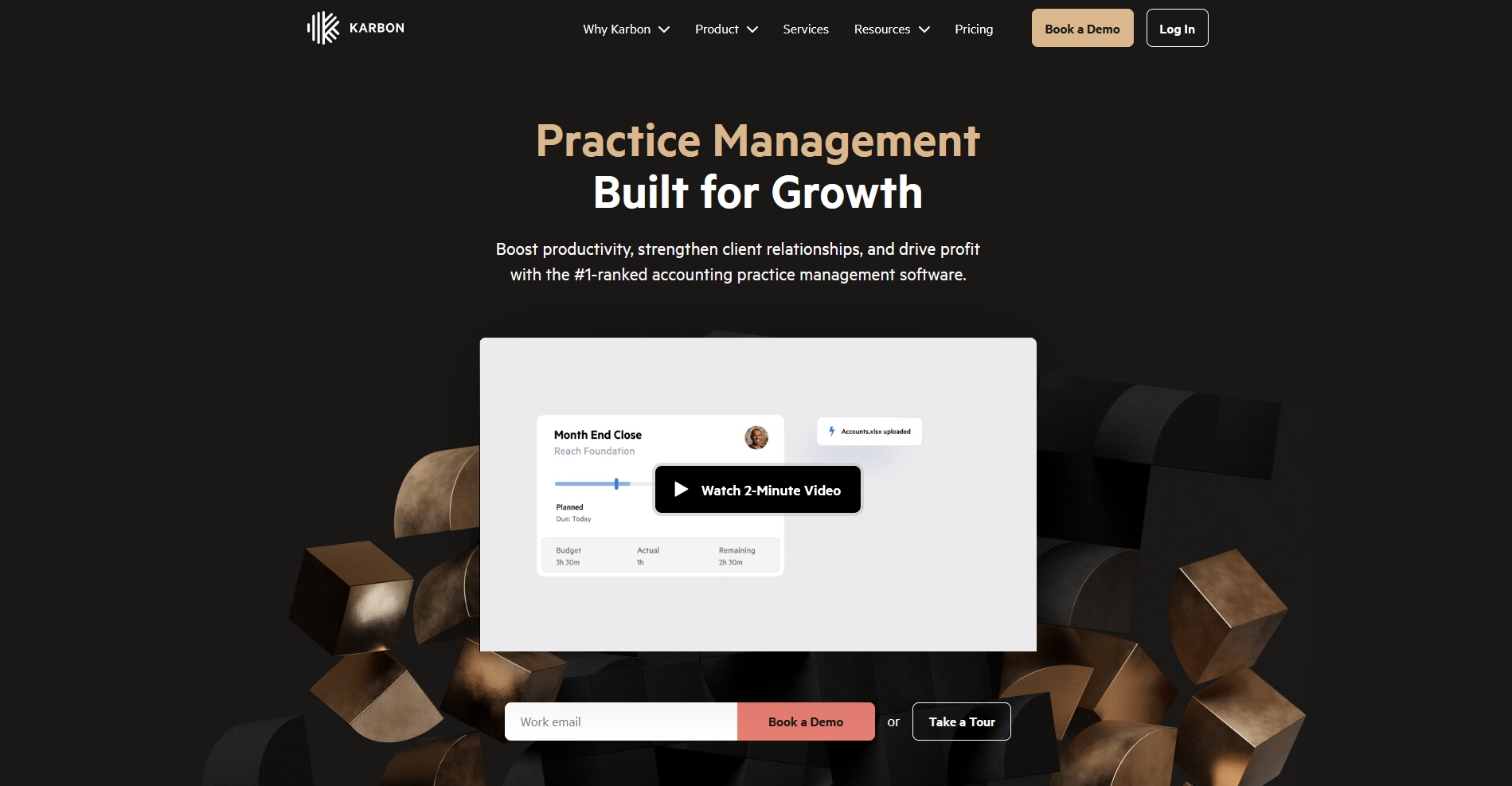
Karbon is a practice management platform built for firms that need to manage client work, team collaboration, and email in one place. Client emails can be assigned and tracked alongside the work they relate to, which helps teams stay aligned across multiple engagements. Setup takes time, and new staff typically need a few weeks to get comfortable across workflows, tasks, and the shared inbox.
Key features
- Shared email and client communication: Connect team email accounts to a central inbox where all client conversations are visible and assignable across the team.
- Work templates: Build repeatable workflow templates for recurring services like tax returns, reviews, and audits that can be assigned and tracked across jobs.
- Collaboration and task management: Assign tasks, leave comments, and track progress on client work across your team without switching between tools.
Pros
- ✅ Shared inbox keeps all client communication visible and assigned across the team, reducing the risk of missed messages
- ✅ Workflow templates make it straightforward to standardize recurring services across multiple staff members
- ✅ Built-in time tracking connects directly to client work, making it easier to monitor capacity and job progress
Cons
- ❌ The platform has a steep learning curve, and new team members can take time to get fully up to speed
- ❌ Reporting features are limited compared to what larger firms may need for detailed performance tracking
Best for
- Accounting and bookkeeping firms that need workflow automation, email management, and client work tracking in one platform
- Teams that want full visibility into who is working on what across all active client jobs
- Firms that want to connect Gmail or Outlook directly to client records and task workflows
Pricing
Karbon starts at $59 per user per month, billed annually. To learn more, check out our full Karbon pricing guide.
2. TaxDome: Best for tax and accounting firms managing clients, documents, and billing together
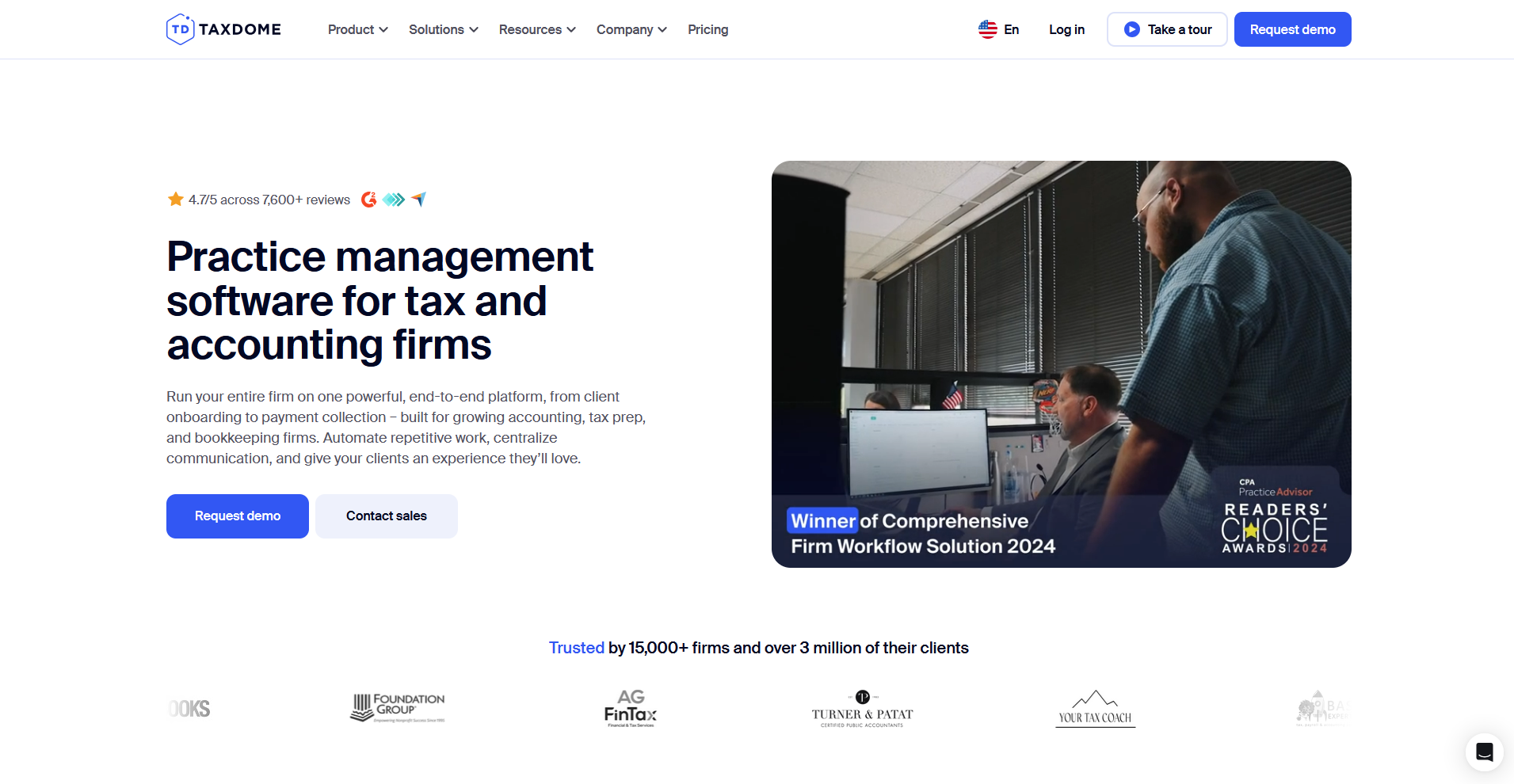
TaxDome is a practice management platform built for tax and accounting firms that want to manage client onboarding, documents, billing, and workflows in one place. New users typically need a few weeks to get comfortable with the platform, and firms that don't follow standard tax workflow stages may find it difficult to adapt the built-in templates to fit their process.
Key features
- Client portal: Give clients a branded portal where they can upload documents, sign forms, make payments, and communicate with the firm without using email.
- Automated workflow pipelines: Build multi-stage workflows for recurring services like tax returns that move jobs forward based on triggers like document uploads or approvals.
- Billing and invoicing: Create and send invoices, collect payments, and set up payment plans directly within the platform.
Pros
- ✅ Covers client onboarding, document collection, e-signatures, billing, and workflow tracking in one platform, reducing the need for separate tools
- ✅ Automated workflow pipelines can move jobs through standard stages without manual intervention at each step
- ✅ Branded client portal gives clients a single place to upload documents, sign forms, and make payments
Cons
- ❌ The interface has a steep learning curve, and new users often need significant time to get comfortable with the full feature set
- ❌ Customer support response times can be slow, which can be frustrating when firms run into issues during busy periods like tax season
Best for
- Tax and accounting firms that want client management, document storage, e-signatures, and workflow in one platform
- Firms that need a client-facing portal with secure document exchange and built-in e-signatures
- Practices that handle both tax and bookkeeping work and want to avoid managing multiple tools
Pricing
TaxDome starts at $800 per seat per year, with a one-year commitment. To learn more, check out our full Taxdome pricing guide.
3. Canopy: Best for tax-focused firms needing billing and time tracking

Canopy is a practice management platform built for tax-focused firms that want to manage client records, billing, and time tracking alongside their core tax workflow. Firms can track billable hours, send invoices, and manage client documents without switching tools. The client portal offers limited control over branding, layout, and how documents are presented to clients.
Key features
- Time and billing: Log billable hours against client matters and convert them directly into invoices.
- Client management: Store client records, documents, and communication history in a central profile that the whole team can access.
- Tax workflow tracking: Move tax jobs through customizable stages and assign tasks to team members at each step.
Pros
- ✅ Time tracking connects directly to billing, making it straightforward to log hours and generate invoices without manual data entry
- ✅ Client records, documents, and communication history are stored in one profile, reducing the need to search across multiple places
- ✅ Workflow tracking lets firms move tax jobs through custom stages and assign tasks without relying on separate project management tools
Cons
- ❌ Customization options are limited across several areas of the platform, which can make it harder for firms to adapt workflows and templates to fit their specific processes
- ❌ Billing reports lack detail in places, which may make it difficult to get a clear view of account balances and outstanding amounts directly within the platform
Best for
- Tax and accounting firms that need IRS transcript integration and tax resolution case management built into their workflow
- Firms that want client management, document storage, workflow automation, and billing in one platform
- US-based practices that handle complex document management and want unlimited cloud storage for client files
Pricing
Canopy starts at $74 per user per month, billed annually.
4. Assembly: Best for branded client portals with CRM and client-facing automation
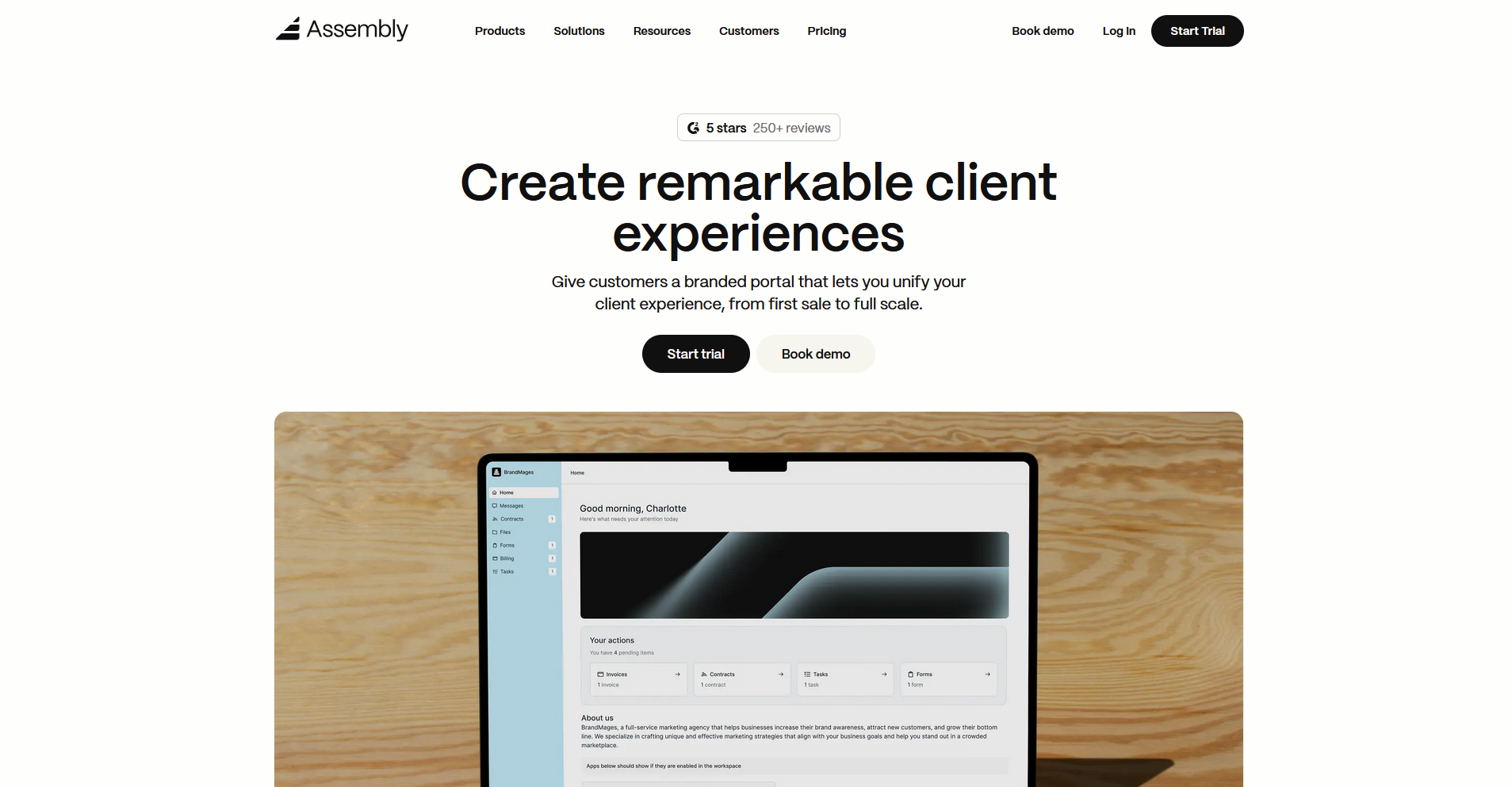
Assembly is a client portal platform built for firms that want more control over the client-facing experience. We designed it to bring together tailored portals, CRM, and workflow tracking in one place. Assembly is stronger on the client-facing side than the internal management side, and firms that need detailed staff workload visibility or advanced reporting may need to bring in additional tools to fill those gaps.
Key features
- Branded client portal: Customize the portal layout, banners, and action items per client type, and give clients a single space for messages, tasks, files, forms, and billing.
- Time-based automations: Set automations that trigger on a schedule to send reminders, reassign tasks, or update statuses based on due dates and time elapsed.
- Payments center: Track outstanding invoices, received payments, and upcoming bank transfers in one place, with analytics built directly into the billing dashboard.
Pros
- ✅ Client portal customization gives firms detailed control over the client-facing experience, from layout and branding to per-client content variants
- ✅ CRM functionality keeps client relationship data, communication history, and active work connected in one place
- ✅ Time-based automations and task templates let firms set up recurring workflows that trigger automatically based on schedules or client actions, reducing manual follow-up
Cons
- ❌ Assembly doesn't offer the internal practice management depth of tax-focused platforms, so firms that need built-in IRS integrations or tax workflow templates may need separate tools
- ❌ Removing the "Powered by Assembly" branding requires the Advanced plan, though a custom domain is available on the Professional plan.
Best for
- Accounting firms that want a branded client portal where each client gets a dedicated, tailored homepage
- Firms that need CRM, recurring automations, consolidated payments, and task tracking connected to client records
- Practices that want more control over the client-facing experience than accounting-specific tools typically offer
Pricing
Assembly starts at $39 per month.
5. Financial Cents: Best for simple workflow management for small firms
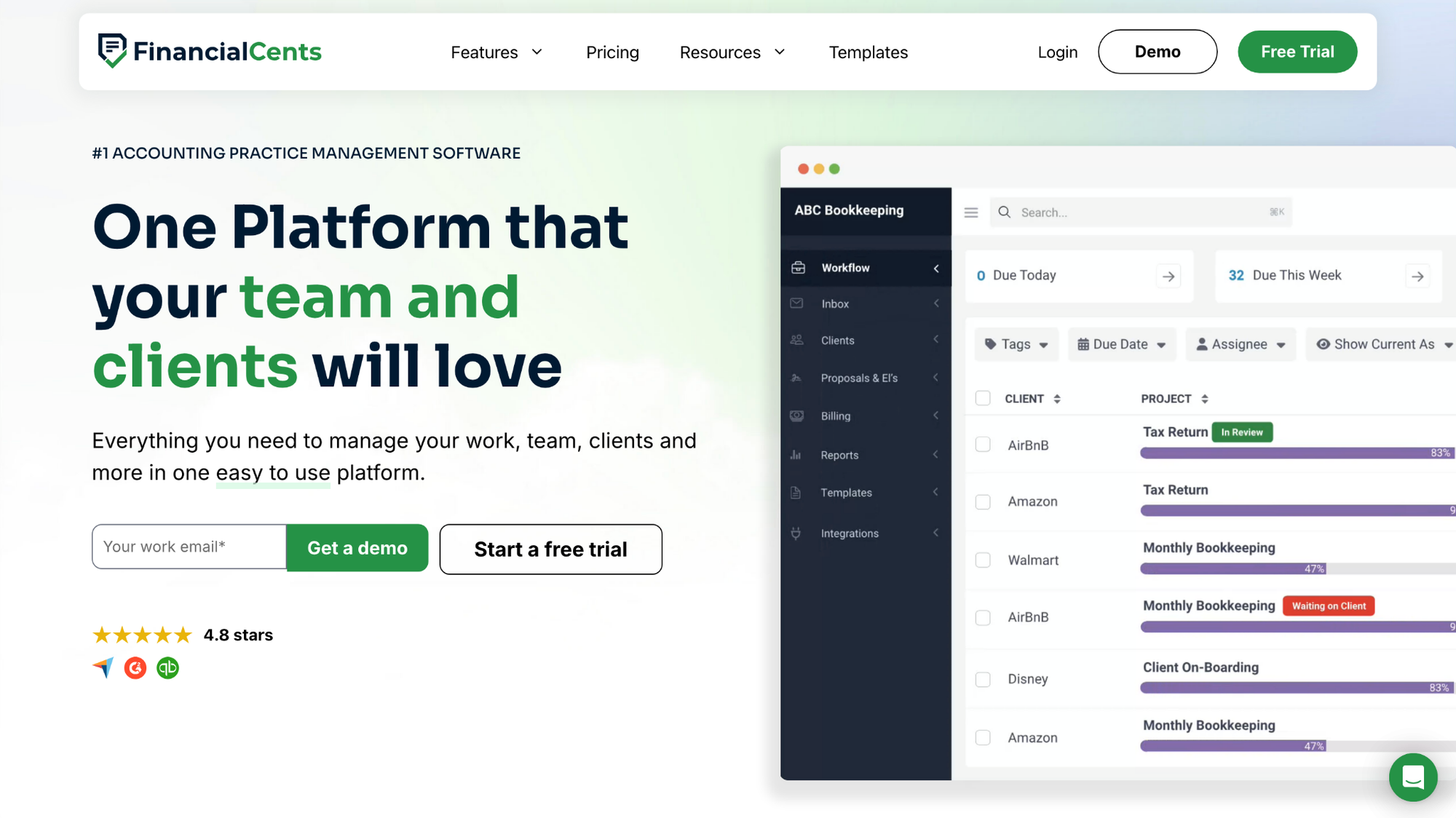
Financial Cents is an accounting practice management platform built for small accounting, bookkeeping, and tax firms that want workflow automation, client management, and team collaboration in one place. It integrates natively with QuickBooks Online but lacks native Xero support, which can create extra manual steps for Xero-based firms.
Key features
- Recurring workflow automation: Set up recurring projects with automated client reminders and document requests that trigger on a schedule.
- Capacity management: Track each team member's assigned hours, available hours, and completed work across all active client projects.
- Email integration: Connect Gmail or Outlook to log client emails directly against client records, keeping communication history in one place.
Pros
- ✅ The passwordless client portal removes a common barrier to client adoption, letting clients access tasks and upload documents without creating an account
- ✅ Workflow templates can be shared across the team and pulled from a community library of accounting-specific templates
- ✅ Capacity management gives firm owners visibility into team workload before deadlines pile up
Cons
- ❌ No native Xero integration, so Xero-based firms will need to rely on manual workarounds or third-party tools
- ❌ Invoicing is currently limited to time-based billing, which may not cover firms that bill on fixed fees or retainers
Best for
- Small accounting, bookkeeping, and tax firms that want workflow automation without a long setup process
- Solo practitioners who need a passwordless client portal and recurring project templates without paying per seat
- Firms that use QuickBooks Online and want native integration with their practice management tool
Pricing
Financial Cents starts at $19/month for the Solo plan.
Special mentions
The tools below handle a specific part of practice or workflow management well, and depending on your firm's setup, one of them might be a closer fit.
Here are 8 more Jetpack Workflow alternatives worth a look:
- Double: Double (formerly Keeper) is a month-end close management tool built for bookkeeping firms, with a 2-way sync to QuickBooks Online and Xero, AI-assisted transaction review, and a client portal for receipt uploads and uncategorized transaction questions. Firms that need tax workflow support will need a separate tool, and there's no native billing or invoicing built in.
- Aero Workflow: Aero Workflow is a procedure-based practice management tool built for accounting firms, with a strong template library for recurring workflows. I found the structured approach works well for firms that want defined processes out of the box, but its focus is more on workflows and time tracking than on advanced document management features.
- Firm360: Firm360 is an accounting practice management platform that combines project management, time tracking, billing, and a client portal in one system. The project visibility works well for tracking work across multiple clients and team members. However, solo practitioners may not get as much value from tools like staff workload distribution and multi-user reporting.
- Pixie: Pixie is a lightweight practice management tool for small accounting and bookkeeping firms, covering client management, recurring workflows, email integration, and a built‑in client portal for secure document sharing and client tasks. I found the setup quick and straightforward, but deeper firm‑wide reporting still takes extra work to set up and maintain.
- ClickUp: ClickUp is a highly customizable project and task management platform that accounting firms often adapt for workflow tracking. I found it handles recurring tasks, team assignments, and client folders well with the right configuration. However, it's not built for accounting, so expect more setup time than purpose-built tools.
- Asana: Asana is a structured project tracking platform with strong task dependencies, timeline views, and team workload management. It works well for firms that need visibility across multiple concurrent projects. Like ClickUp, it requires manual configuration to fit accounting workflows.
- monday.com: monday.com is a visual workflow platform with flexible board views, automations, and reporting dashboards. I found the board setup flexible enough to organize recurring client work, but using it as a central place for client details, communication history, and project data takes extra configuration and careful board design.
- Tidyflow: Tidyflow is a recurring workflow tool built for accounting firms, with job management, deadline tracking, a client portal, and document storage. I found the interface clean and easy to navigate, but native integrations are currently limited to QuickBooks Online, Xero, and Zapier, which may create gaps for firms running other tools in their stack.
How to evaluate Jetpack Workflow alternatives
Choosing the right practice management tool depends on where your firm is today and what you've outgrown. Here are a few things worth thinking through before you decide.
Here are a few things to consider:
- Firm size and workflow complexity: A solo practitioner managing 20 recurring clients has different needs than a 10-person firm handling tax, bookkeeping, and advisory work simultaneously. I’d look at how each tool handles task assignment, team visibility, and workload distribution before committing.
- Accounting specialization: Some tools on this list are built specifically for accounting firms, with templates, integrations, and support teams that understand compliance deadlines and recurring client work. Others are general project management platforms that can be adapted. Decide how much you want out of the box versus how much you're willing to configure yourself.
- Client-facing features: Jetpack Workflow doesn't have a client portal, so if that's a gap you're trying to fill, pay close attention to how each tool handles document sharing, client requests, and communication.
- Integration with your accounting stack: Check whether the tool connects natively with the software you already use, whether that's QuickBooks, Xero, or something else. Relying on Zapier for every connection adds maintenance overhead that can slow your team down over time.
- How billing and time tracking fit in: If you bill by the hour or need to connect tracked time to invoices, look carefully at whether the tool handles this natively or requires a separate platform. Several tools on this list cover this well, and a few don't touch it at all.
Your practice management tool should grow with your business
Most accounting firms don't outgrow Jetpack Workflow overnight. The shift usually happens when client volume grows, team collaboration gets harder to manage, or clients want a more structured way to share documents and track requests. The Jetpack Workflow alternatives on this list cover that range, from pure workflow automation to full practice management platforms with client-facing features.
If you're running an accounting firm and need more than internal task tracking, Assembly is worth a closer look. Features like a tailored client portal, built-in CRM, dynamic client homepages, recurring automations, and consolidated payments keep your client experience professional and your team's work organized in one place.
Start your free Assembly trial today.
Frequently asked questions
What is Jetpack Workflow?
Jetpack Workflow is a cloud-based workflow management tool built for accounting and bookkeeping firms. It covers internal task tracking, recurring job automation, and deadline management, but doesn't include client portals, billing, or a dedicated document management system.
What are the best Jetpack Workflow alternatives for accounting firms?
The best Jetpack Workflow alternatives are Karbon, TaxDome, Canopy, and Assembly. Karbon and TaxDome fit teams that need deep workflow automation, Canopy works well for tax-focused practices, and Assembly is a strong pick for firms that want a branded client portal with built-in CRM.
Does Jetpack Workflow have a client portal?
No, Jetpack Workflow doesn’t have a native client portal. All client communication runs through email, which means document collection and client updates stay scattered across inboxes rather than in one centralized location. Firms that need a dedicated space for client document sharing, requests, and communication may need a different tool or a workaround.
What is the difference between workflow management and practice management software?
Workflow management software handles internal task tracking, recurring job automation, and deadline management. Practice management software covers all of that plus client-facing features like portals, document management, billing, time tracking, and CRM. Jetpack Workflow is a workflow management tool, while Karbon, TaxDome, and Canopy are full practice management platforms.